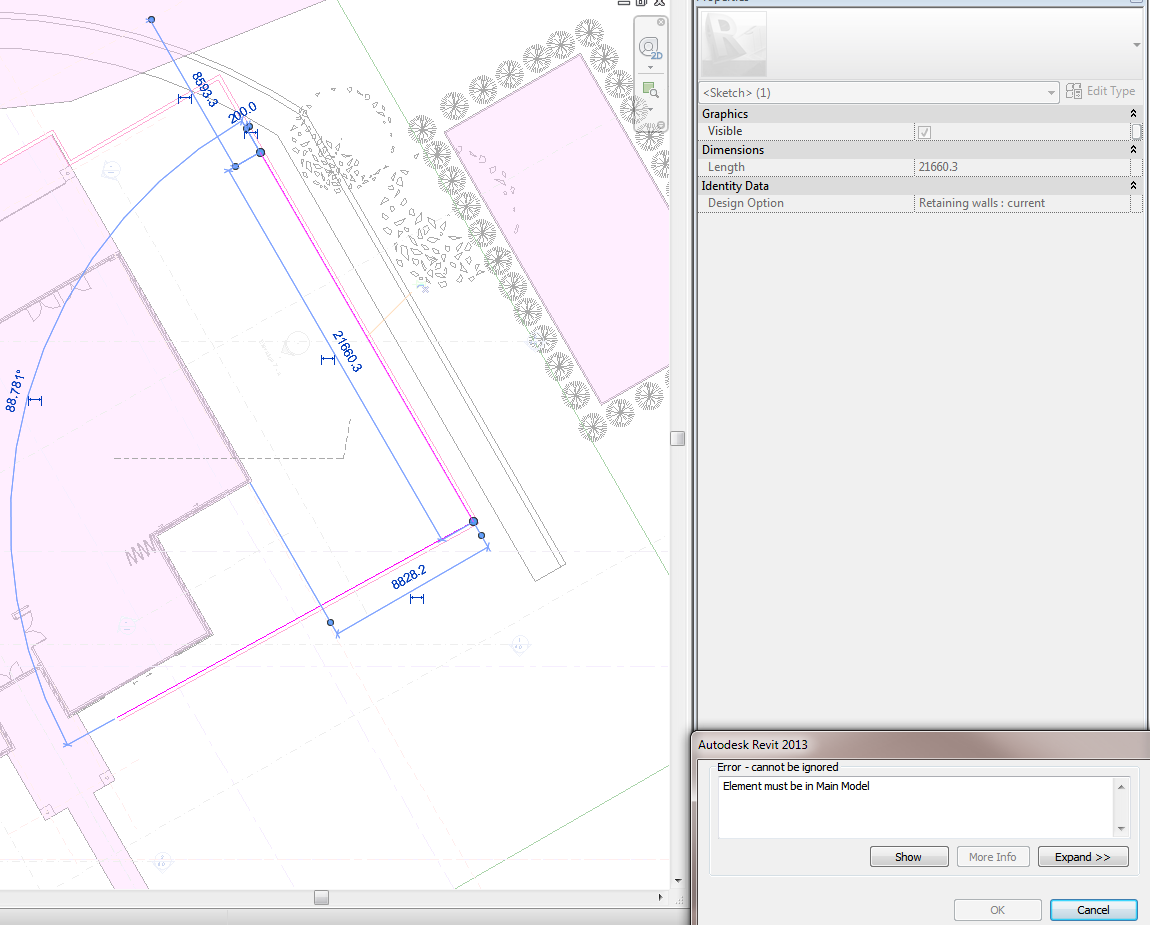
While editing an In-place family (Sweep) inside a Design Option, I tried to unpin a sketch line using the Pin icon on the screen. I received this error: Element must be in Main Model
To get around it, I just selected the sketch line and use the keys UP (or any keyboard shortcut for Unpin).
One of those annoying little problems … hope the tip helps you.
Ostensibly, they start along the lines of “my firm is implementing new systems, what software should we choose…” Then, very quickly they become a mud-flinging game of mirrors, misdirected passion and other more general angst (Why does Program X hate me?) They are littered with sarcasm, attempted yet misunderstood humour, and a few genuine users who take the time to relate their personal experience.
A great example is this ArchiCAD vs Revit discussion. Please note that it is in the ArchiCAD group (meaning your submissions may be moderated by a pro-ArchiCAD discussion manager).
Create a WordPress feed for a particular label: It is even easier. To subscribe to a particular category feed of a WordPress blog, all you have to do is add /feed after the category url (link).
What is Ruby? Ruby is a dynamic, reflective, general-purpose object-oriented programming language that combines syntax inspired by Perl with Smalltalk-like features…Ruby supports multiple programming paradigms, including functional, object oriented, imperative and reflective.
Thanks to Håkon Clausen, Ruby is now friends with Revit.
I have a couple of Twitter searches set up, including #revit. This gets forwarded by RSS into my huge Revit blog reading list, shared at this link. Then, I get this reading list sent by email to a portable Thunderbird profile. Finally, I have setup an auto-pdf creation process, which turns all of those blogs and tweets into daily PDFs. I have basically created an archive of pretty much every Revit blog post over the past few years.
Currently, my RSS folder has 5795 files and is over 2.6 GB
My Revit Training folder on the NAS at our office is well over 54 GB – I use various tools to download Youtube, Autodesk and Vimeo videos so that I have an offline copy.
There is one slight problem – there is sometimes simply too much information to take in. I have had a couple of weeks off, so now my Revit blog ‘unread’ list is over 1000 posts 🙁
Time to do some skimming … once you get Google Reader going at a nice quick scrolling pace, you can get through a lot of information quickly 😉
You are going to RTC. Will it be amazing? Probably. But will you get the most out of it? That is completely up to YOU. Here are a few pointers.
Drink lots of coffee (in moderation, of course)
Talk to as many people as you can – target the people who you have made contact with online but haven’t met in person
Get your own name out there in conversation – make sure you say something memorable, like “this Rivett program is cool, hey”
If you get bored, go get another coffee
Here is the golden tip – for each session that you attend, make a note of 2 (two) things that you think you can use. These may be
timesavers,
ways to customize your Revit environment,
online resources you didn’t know about,
anything that could improve your personal workflow or your company standards.
But aim for 2 points per session. More points make it difficult to actually recall and apply them, less and you are not getting your RTC value-for-money.
Have fun!
PS – Feel free to post your own ‘survival tips’ in the comments…
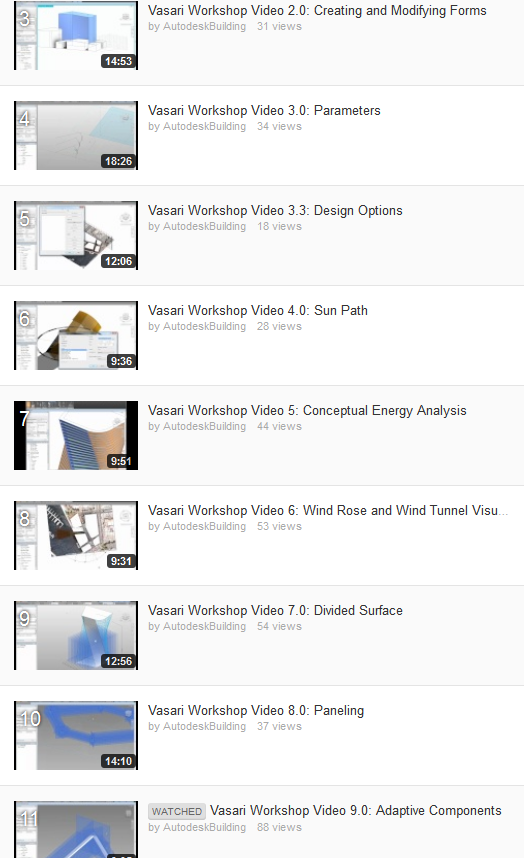
AutodeskEd uploaded a bunch of Vasari Workshop videos late last week. I have put them all in a playlist and embedded it for you below. The playlist is just over 2 hours long:
Sequence numbering on doors numbers doors independently. The tool remembers the previous door’s number and will maintain the proper sequence on subsequent doors.