Most of you already know that VEO is very smart when it comes to document handling – for example, you can easily attach PDFs to elements in the model.  You may have seen my Revit eStorage post, which allowed you to “store” any file on any element in a Revit model.  Now…

The source code for a Revit add-in project allowing you to “Generate QRcodes within Revit 2013 using native Detail objects (filled regions) and group each instance together” has recently been released.

Can you think of some file handling and document management tricks that could be implemented here?  Links to an FTP site, for example, mapped to QR codes in the RVT model?

The link to the github page is:
https://github.com/kmorin/QRCode-Revit2013

via

Link:
Twitter / kylemorin: Releasing my code for #qrcode …

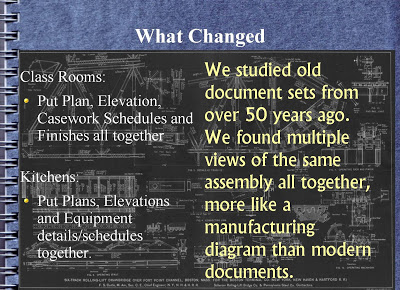
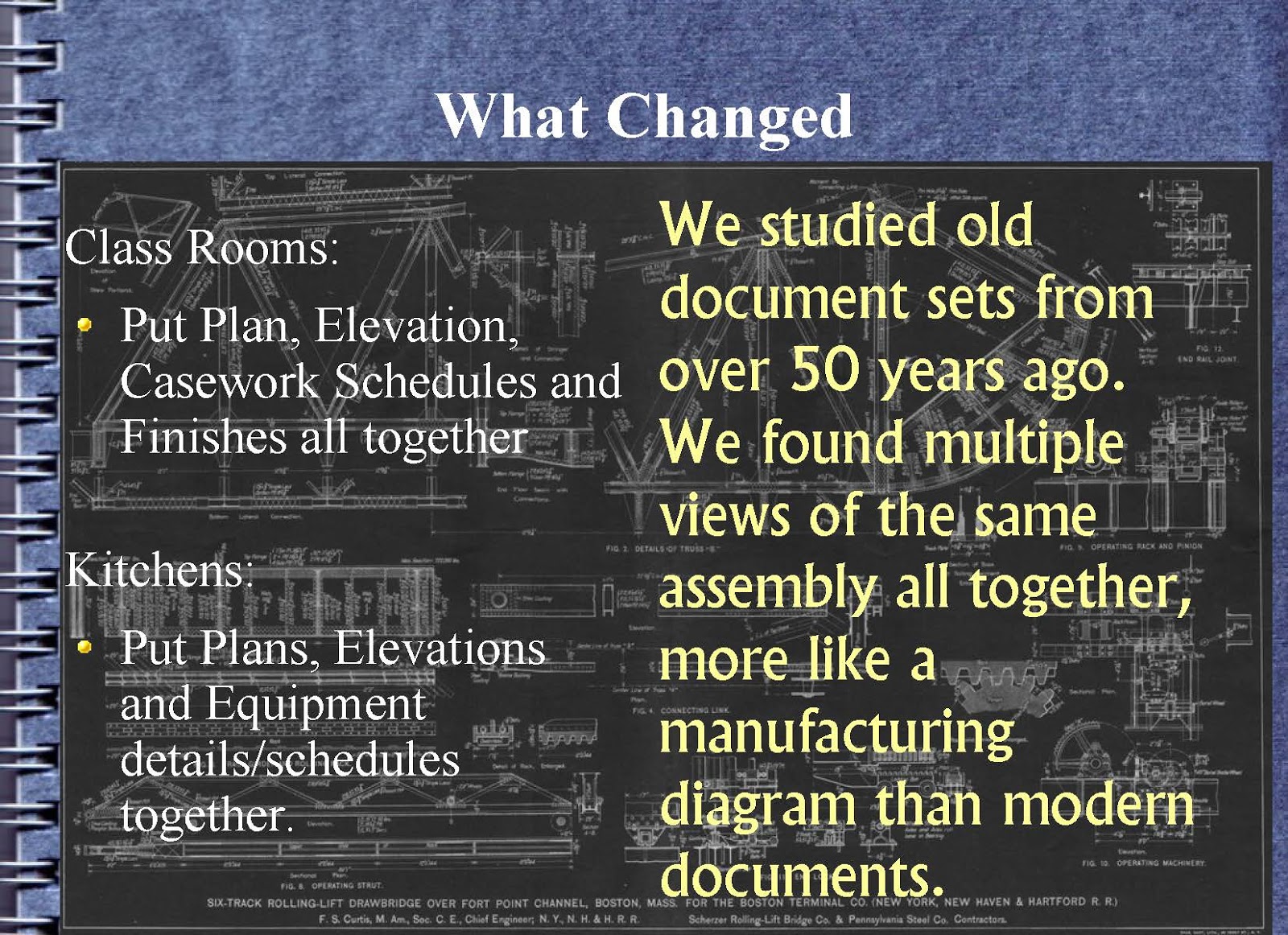
Sometimes, its good to take a breath and think about where Revit and BIM have led us.  One case study, recently presented at SARUG by Andrew Abernathy (in slideshow form) included the following interesting points:

  • Mindset change needed to succeed
  • Work became standardized and reuse from project-to-project greatly increased
  • Marketing was transformed from “Let me show you my great design.” to “Let me show you how I deliver more value.”
  • studied old document sets from over 50 years ago. We found multiple views of the same assembly all together
  • Revit is transformative software tool for both designers and builders

via
How Revit Changed an Architectural Firm
(slideshow by Andrew Abernathy,
Principal, NoSilos.com)

I have previously posted about MIT OpenCourseWare.  There is actually a site that essentially aggregates courses from all over the web and from a number of different learning institutions, and then provides a link for you to access that particular course and the related resources.  Check it out at:
Online Courses Directory

Here are a couple of examples of courses that you can access (Blender, and programming in C):

This one is by Dima Chiriacov, and you can download it at:
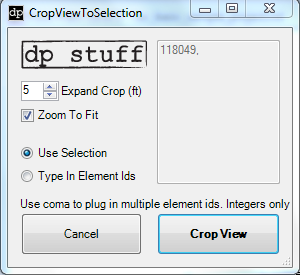
02-28-2013 CropViewToSelection2013 (for Revit 2013) 

The key difference is that this add-in allows you to physically type in Element IDs before the tool runs – I think that this could be very useful for tracking down your Revit Errors / Warnings.

Read more at:
dp Stuff: CropViewToSelection Add In for Revit 2013

This would be the fourth way to create a Section Box automatically that I have posted.  For the other three, check out this link.

Many legal questions are getting asked in and around the BIM community.  From “Who owns the model?” to “Who is responsible to track changes?”, we find ourselves in a new and somewhat scary world of legal consequences to our modelling action.

Some of these issues are captured in the following downloads and quotes, which in turn were taken from a post on Out-Law.com, a legal news site run by Pinsent Masons.

Downloads:
the publication of the BIM Protocol by CIC (15-page / 835KB PDF)
guidance on professional indemnity insurance issues relating to BIM projects (11-page / 478KB PDF)
‘Scope of Services for Role of Information Manager’ document (5-page / 299KB PDF)

Here are a few interesting quotes:
The Protocol published by the Construction Industry Council (CIC) is to be incorporated into existing construction contractual arrangements, although its terms can then be amended to set out particular rights around intellectual property ownership. It sets out the obligations that the different contracting parties would have to adhere to under the terms of individual projects…

“…it is a clear step forward and should accelerate the up-take of BIM across the UK construction industry, particularly on public sector projects.” 
 (quoting Infrastructure law specialist Khalid Ramzan of Pinsent Masons)

As might be expected, the definition of BIM is perhaps a little naive, or maybe just utopian?
A BIM system uses a computer generated model to collect and manage information about the design, construction and operation of a project centrally. It is especially useful where many parties, such as different sub-contractors, provide input on the same project. Any changes to the design of a project made during its construction are automatically applied to the model.

Read more:
BIM Protocol publication will drive ‘widespread adoption’ of the technology, says expert

EDIT: There are some more resources available over at REVIT Structure Learning Curve: The BIM Protocol, a Best Practice Guide for Professional Indemnity Insurance when using BIM

Free download of PAS 1192-2:2013 Specification for information management for the capital/delivery phase of construction projects using building information modelling at:

Heads-up via

Looks like KB2670838 might be a bit of a pain.  It seems to be messing with some systems, including causing a strange colour change in Revit 2012 as per Color Change in Revit 2012 after Updating Windows 7 – The Revit Clinic

The update seems to be related DirectX, including Direct3D.  You can read more about it at:
A platform update is available for Windows 7 SP1 and Windows Server 2008 R2 SP1

Windows Update sometimes becomes quite an annoyance doesn’t it?  I previously posted about problems with WDDM1.1 and Graphics Adapter WDDM1.2.

Did you know you can nest a Generic Model family in a Generic Model Adaptive family and create a form that allows the swapping of the Profile Type?

Post by gaby424
Use Adaptive Components
-you can draw profiles as simple shared generic models families (you don`t have to use profiles template)

-nest them in a generic model adaptive family and instanciate them 2 times in paralel planes
-put a family type parameter on their label fields (the same for bouth)
-carefully select only theirs segments for bouth the profiles using ctrl+click & TAB key (you can also just select the 2 instances but you can receive an error message in the next step)
-press create form button
-create voids to cut the ends as in your truss family
now play with changing the family type parameter (assuming you have more than one profile in family/project) 

via
2013: Chnage profile of sweep in nested family

via email:

Greetings,
You are getting this message because you downloaded a version of IFC Exporter for Revit 2013 or Revit IFC Export Alternate UI prior to January 23, 2013.  We have posted an update to both, which you can get to using the links below:
IFC Exporter for Revit 2013 (v2.8):
IFC Export Alternate UI for Revit 2013 (v1.8):
Updates from versions 2.7/1.7 are listed below.  Please upgrade to the newest version! 
If you do not wish to receive upgrade notices, please reply and I will make sure you don’t get these notices in the future.
Regards,
(omitted)
Senior Principal Engineer
Autodesk, Inc.

What’s new for IFC Exporter for Revit 2013 v2.8:

General:
– Clean up code dealing with door and window operation and construction type.
– Clean up code dealing with getting Solids from element geometry.
– Finalize support for FM Handover view.  The new functionality for this is included in the lists below.
– Replace native function call to create some columns as extrusions with .NET code.
– Renamed the shared parameters for many entity properties to have “Ifc” at the front.
– Sort parameter names on export to minimize changes in IFC file from subsequent exports of the same file.
New Functionality:
– Add 11 new IFC common parameter sets, including: Pset_AirTerminalTypeCommon, Pset_DistrubutionFlowElementCommon, Pset_FlowTerminalAirTerminal, Pset_SpaceOccupancyRequirements, Pset_PlateCommon, Pset_ReinforcingBar*Common
– Add support for IfcLengthMeaure parameter export.
– Add support IfcCircleHollowProfileDef; use for extrusions if appropriate.
– Add support for Provisions for Voids.
– Allow specification and export of a user-defined classification system, instead of just Uniformat.
– Allow exporting elements as IfcDiscreteAccessory/IfcDiscreteAccessoryType.
– Allow “IfcExportAs” to take both the entity name and the type name in the format “IfcEntityName.TypeName”.
– Export base quantities for 5 elements: IfcBuildingStorey, IfcCovering, IfcDoor, IfcSpace, IfcWindow.  Some of these were already supported and were just moved from native to .NET.
– Export FabricArea and FabricSheet as IfcReinforcingMesh and IfcGroup, respectively. 
                – Note: that the default export settings have these set as “Not Exported” – these have to be updated manually to “IfcReinforcingMesh” and “IfcGroup”.
– Export ceilings as extrusions or BReps if possible, instead of just surface models.
– Export surface styles by default for Coordination View 2.0.
– Include Ceiling as a room bounding element on export if it is part of only one room.
– Stabilise GUIDs for Pset_Building/BuildingStorey/SiteCommon, internal Revit property sets, and slabs in roof containers (only for  the case of an IfcRoof containing a single IfcSlab, however).
Bug Fixes:
– Changed incorrect “PSet” to correct “Pset” for various parameter set names.
– Don’t create openings for doors and windows when the host is exported as parts
– Don’t export RepresentationMap for IfcTypeProduct with 0 items.
– Don’t ignore an internal Revit parameter on export if it has the same name as a parameter in another group.
– Export materials for IfcReinforcementBar; make body representation “AdvancedSweptSolid”.
– Fix export of grids so that only one IfcShapeRepresentation is created.
– Fix export of some extruded columns that were split into separate components by other elements.
– Fix issue where classification reference was not exported in non-English versions of Revit.
– Make “NosingLength” parameter of PSet_StairFlightCommon IfcLengthMeasure.
– Make GetExportTypeFromClassName not reject some unrecognized IFC class names.
– Move the local placement of many entities with extrusions and mapped representations for geometry to be closer to the geometry.
– Properly export Pset_ZoneCommon for IfcZones.
– Properly label some mislabelled IfcOpeningElements as “Opening” or “Recess”.
– Properly scale door panel properties, window frame properties, and base quantities on export.
– Remove incorrect PsetLightFixtureCommon.ArticleNumber property.

What’s new for IFC Export Alternate UI for Revit 2013 v1.8:

New Functionality:
– Add a “Classification” tab to allow specification and export of a user-defined classification system, instead of just Uniformat.
– Allow choice of whether to include the elevation offset of IfcSite in the local placement of the IfcSite as a UI option.  By default, the elevation offset is NOT included in the local placement as of version 2.7/1.7 of the exporter.  Note that currently this override is disallowed for Coordination View 2.0 files; if there is a demand for this, we will consider allowing it with a comment in the IFC file itself.  Note that this UI change needs Exporter v2.8 to work properly.

– Export surface styles by default for Coordination View 2.0.