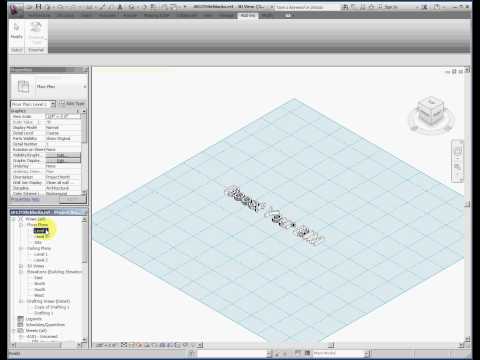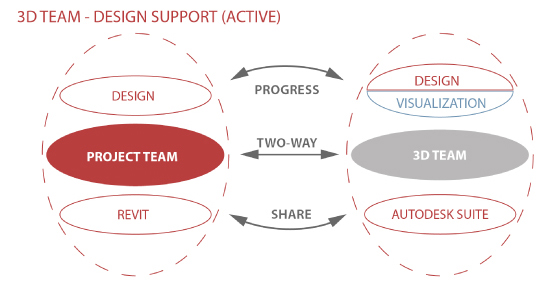
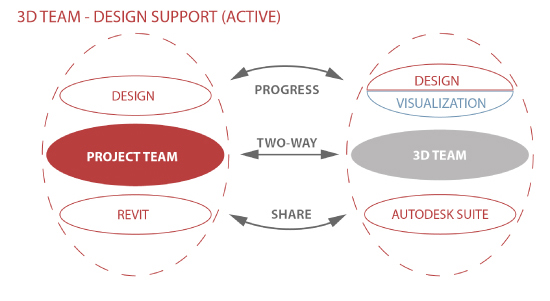
Interesting post with some helpful graphics, images and videos from Payette:
Read the whole post:
Workflow for Iterative Design: Revit and 3ds Max
AI Empowered Project Management
Interesting post with some helpful graphics, images and videos from Payette:
Read the whole post:
Workflow for Iterative Design: Revit and 3ds Max
Ever wanted to “hide” a void, or stop it from cutting? There are at least two ways:
1) parametrically moving the void outside of the solid form when you dont want it to cut (this is the “old way”)
or this interesting solution via Twitter:
2)
@revitspace @the_reviteer @barleyboy voids in host based family duplicate nest one not cut geometry link family type to yes no done easy.145
— Johnny Furlong (@FurlongJonathan) March 22, 2013
via email (note that the Sourceforge link for the 2014 UI is recommended over the App Store version):
What’s new for IFC Exporter for Revit 2014 v3.2/ IFC Exporter for Revit 2014 v2.10:
|
New Functionality:
– Add property sets: Pset_ElectricalDeviceCommon, Pset_SwitchingDeviceTypeCommon, Pset_SwitchingDeviceTypeToggleSwitch
– Add support for electrical current, electrical voltage, frequency, and positive plane angle units.
– Allow Name/ObjectType/Description override for IfcSystem.
– Allow using “IfcExportAs” = “DontExport” to remove an individual element or type from the export.
– Export DuctLining.
– Export Groups, including nested groups, as IfcGroup.
– Export electrical systems and connectors.
– Export local coordinate system for IfcDistributionPorts.
– Export PipeInsulation.
Bug Fixes:
– Allow MEP zones to export Pset_ZoneCommon, fix 2 property names.
– Correct export of parts for Coordination View 2.0.
– Correct height of Revit Areas.
– Correct material assignment for generic MEP exporter.
– Correct units and unit scaling for volumetric flow rate.
– Fix export of multi-storey stairs.
– Get material for ducts and pipes from system.
– Properly associate internal ElementType Revit property sets with IfcElementType, instead of adding to instances.
– Properly scale door and window lining properties.
– Protect against trying to add a null property to an IfcPropertySet.
– Remove extraneous property sets when exporting Rebars.
– Remove stale IfcSurfaceStyle and IfcPresentationStyleAssignment handles from caches for some aborted attempts to export items as multiple IfcExtrudedAreaSolid.
– Return correct Boolean value for GetBooleanAtribute function.
|
What’s new for IFC Export Alternate UI for Revit 2014 v2.2/ IFC Export Alternate UI for Revit 2013 v1.10:
– Re-group the custom options into more logical groups.
There are now 9 apps for Revit 2014 uploaded to Autodesk Exchange that are classed as “Subscriber Benefit Apps”. These are basically standalone install packages for things that are bundled up in the Revit Extensions package.
You can view the list (and download the packages) here:
http://apps.exchange.autodesk.com/RVT/en/List/Search?productline=RVT&query=&facet=_subscriberBenefitApps&collection=
Note: you will need to login to your Subscription account, then go to Autodesk Exchange (or use the above link).

This same list is copied from the Revit Extensions feature summary:
o Wood Walls Framing, Roof Framing, and Roof Trusses extensions are
available now as Timber Framing package
o Compare Models
o Grids Generator
o Civil Structures
o CIS/2 Import/Export
o SDNF Import/Export
o Excel based model generation
o Frame Generator
o Composite Design
As most of you know, I love keyboard shortcuts. Harry shows you how you can map an external tool to a keyboard shortcut to make this happen:
via
Setting a view’s work plane with keyboard shortcuts | Boost Your BIM – making Revit even better
So Harry, where’s the code? 🙂
Just in case you haven’t seen it yet – you should check out this great thread on RFO:
…….Index to Tips and Tricks…….

… by using a very wild script from dp Stuff!
Comes with a disclaimer:
Warning! Make sure you don’t run this script on your central model – detach it from central first. Because once the views are gone – they are GONE! Don’t tell me that I didn’t warn you – use it at your own risk.
Download Revit IronPython Shell script via
dp Stuff: Remove Working Views With Python Shell and Revit API
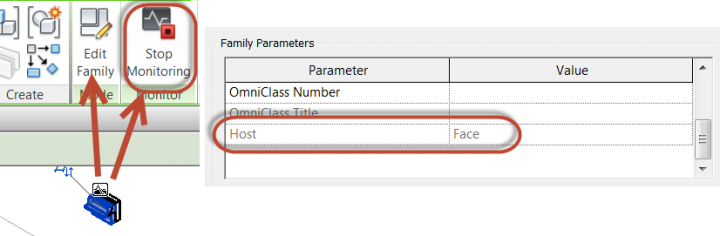
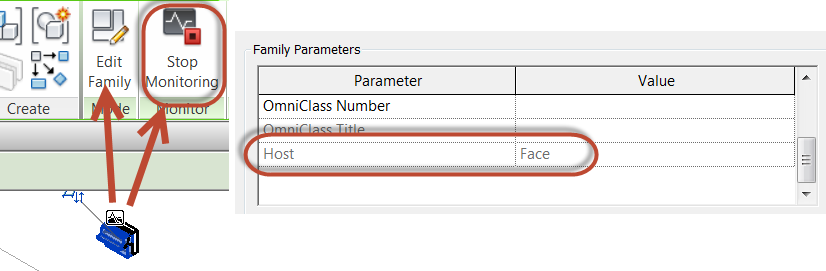
Have you created a heap of wall based families that you would like convert to face based? Jarod Schultz provides a nice workaround for this. Essentially, you Link and then Copy/Monitor the elements, then when you use the Edit Family button, Revit swaps them to Face based for you!
“Get into a 3D view so it is easier to see your linked file and the lighting fixture. We are now going to use the “Copy/Monitor -> Select Link” tool to “Copy” in the light fixture.”
Read the whole post at:
Jarod Schultz: Revit Wall/Face Based Family Trick | Jarod Schultz
EDIT
This workflow can be used to convert any hosted Family to a Workplane based or unhosted versions, as David describes here:
Two great tips via The Building Coder today. Firstly, the updated Revit SDK is available for download from here. Here are some links:
 |
Revit 2014 SDK (Update April 24, 2013) (exe – 217899Kb) |
|
Revit 2013 SDK (Update April 11, 2012) (exe – 161112Kb) |
|
Revit 2012 SDK (Update June 22, 2011) (exe – 151105Kb) |
Secondly, did you realise that Revit 2014 comes with a tool to convert gbXML data into a dwfx file? Look in your Revit program folder for a file called gbXML2dwfx.exe
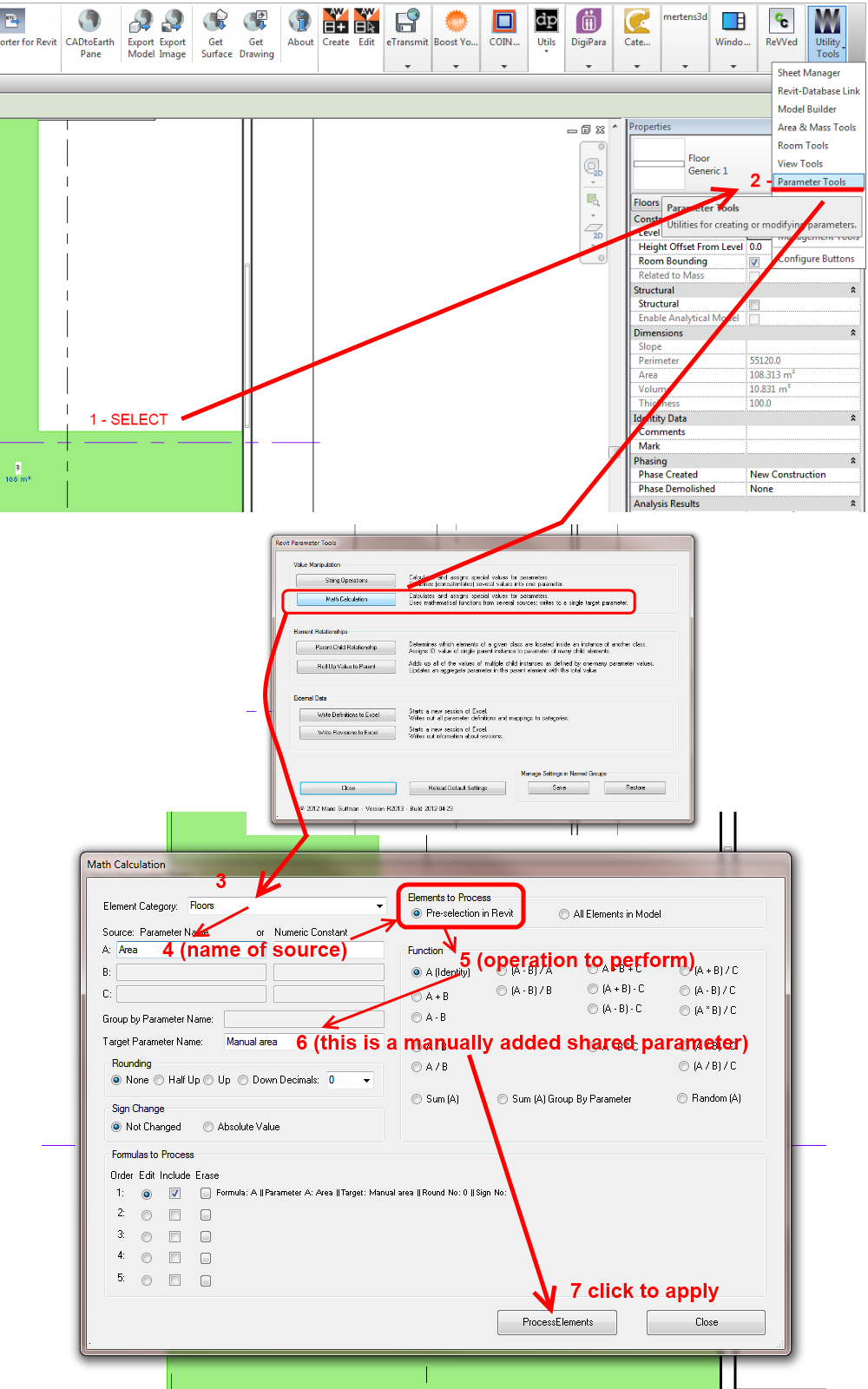
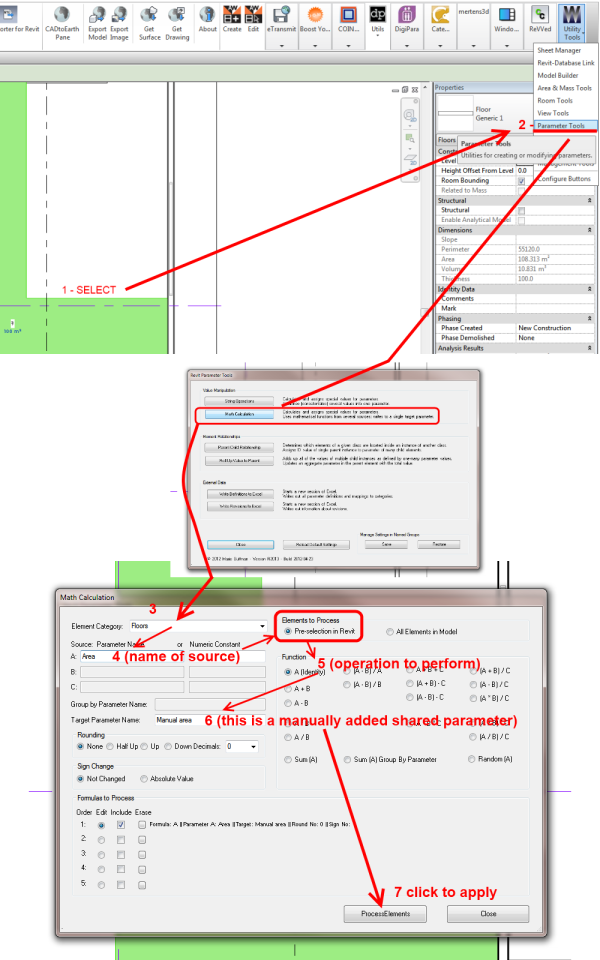
In the image below, I show the basic process used to drive a Floor Area parameter into a manually added shared parameter. Obviously, this scenario is not ideal – the data link isn’t dynamic, so we have essentially created a mini-silo (that’s what I’m going to call “in-software unlinked BIM”) right inside Revit.
In any case, here is how you can quickly do it with Whitefeet tools (start at 1 and follow the arrows):
I previously posted another workaround for this – using a filtered schedule:
Tag Floor Area in Revit workaround