This update applies to Autodesk 360 desktop companion if your version is 4.0.27.1 to 4.0.32.100.
To see your version of your 360 desktop companion: log into Autodesk 360, right-click on the system tray icon and select preferences (the version is listed in this dialog).
Fixes in this live update include but are not limited to:

  • Better Inventor file and folder structure support
  • Customer Error Reporting Support
  • Performance fixes
  • Stability Improvements

Please close all applications before installing and restart after installing. Be sure to install the correct update (32-bit or 64-bit) for your operating system.


More information about Autodesk 360 desktop companion can be found at the Autodesk 360 FAQ.

via
Autodesk – AutoCAD Civil 3D Services & Support – Live Update 1 for Autodesk 360 desktop companion
Building Design Suites as of 2014 have a built-in uninstallation tool (very handy).

For (some) 2013 suites:
How to perform an automated uninstallation of the AutoCAD Design Suite 2013 family of products

You could also go the “manual” route:
How to remove all Autodesk products from a Windows system

2013: How to Complete a Clean Install [Uninstall] of Revit products

2012: How to Complete a Clean Install [Uninstall] of Revit products

Heads-up via
revit in plain english: Building Design Suite 2014 Unistaller
via
https://twitter.com/MicroCAD3d/statuses/332585560122224640

I recently posted about a Window Studio, now here is a Door and Door Hardware Studio (addin for Revit) …  Assa Abloy Openings Studio (AOSS).

Unfortunately, it is very limited in availability.  When I inquired about it, Assa Abloy told me:
Not at this time we let it to professionals who we work with directly.
The main problem is that it is an American tool for our North American

brands.
So sorry it is not available at this time.

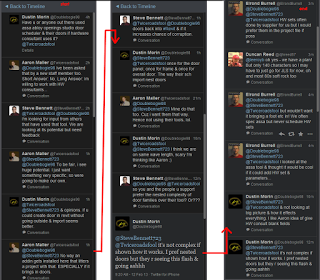
Interesting chat on Twitter as to its usefulness:

Company link:
Openings Studio – assaabloydss.com – School Safety, Locks, Doors, Access Control

Note: you don’t need to put in your address when filling in the register form…

There is the beginnings of a tutorial channel on Youtube:

Also:
Door Scheduling Made Easy Thanks To ‘Openings Studio’ By ASSA ABLOY | Floosted by Architizer .
 
72 min NYC-RUG session about ASSA ABLOY Openings Studio for Revit on Vimeo:

ASSA ABLOY Openings Studio for Revit from Alfred Huang on Vimeo.

Related NYC-RUG link:
ASSA ABLOY Openings Studio for Revit. – New York City Revit User Group (New York, NY) – Meetup

Heads-up:
Twitter conversation

Links via:
Architizer Blog � Door Scheduling Made Easy Thanks To ‘Openings Studio’ By ASSA ABLOY

Wow – a free course for Landscape Architects who want to use Revit!

It includes:

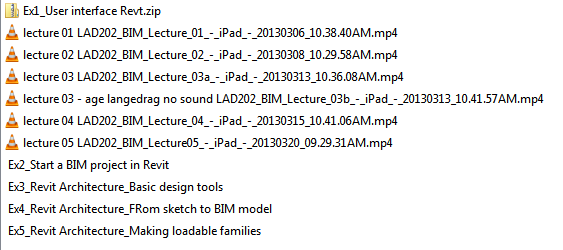
  • session recordings of 5 lectures
  • handouts (pdfs and rvt / rfa / pdf / dwg files) from each session

Check them out and download at:
LADcourses: LAD202 – BIM for landscape architecture using Revit

The official course name is LAD202 – 3D Computer Modelling for Landscape Architecture – spring 2013 – part#2 using Revit Architecture

Heads-up:
Revit Landscape – Urban Design by Åge Langedrag

Dutch Revit standard (template) for download:

Download – RevitGG.nl
Translated version

There is a link to download version 0.8 from Dropbox at this page.

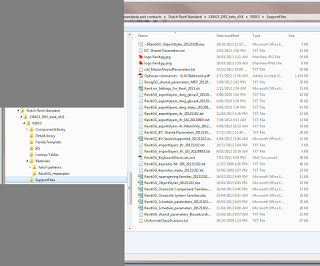
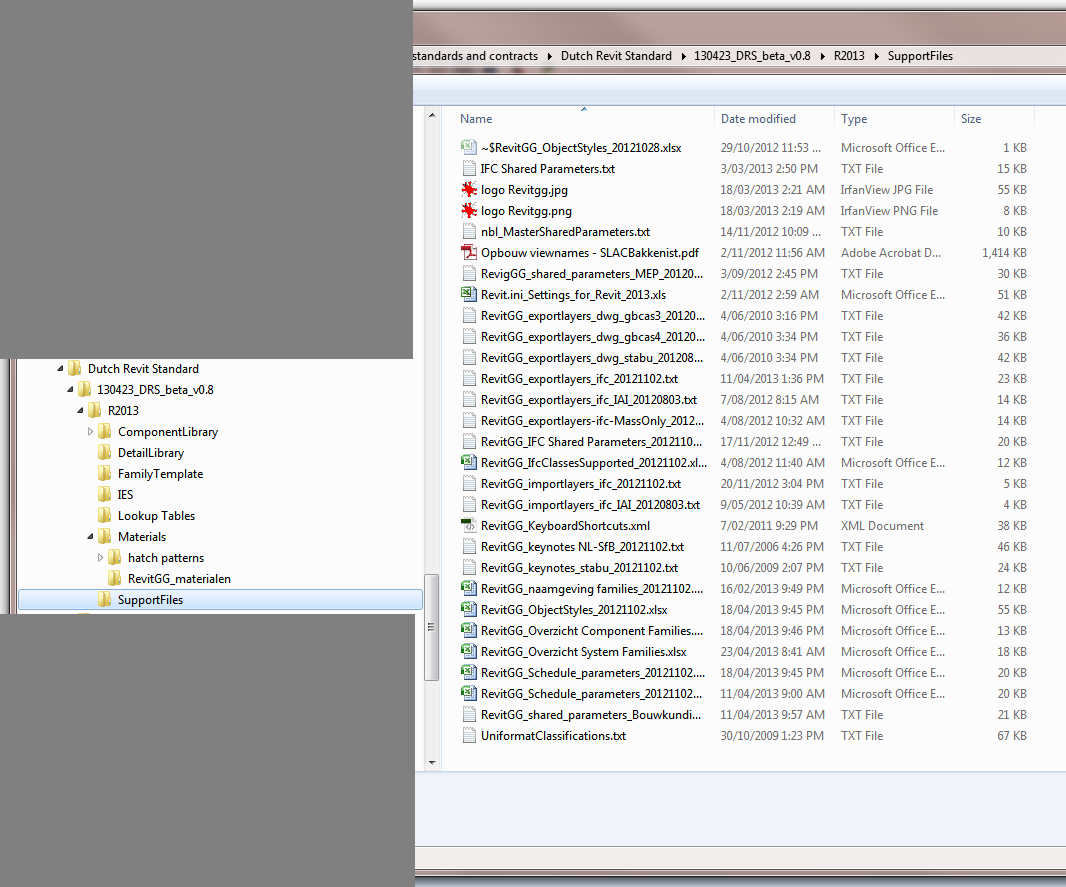
The download includes content like:

  • project template
  • families
  • family templates
  • materials
  • resource files (CAD import / export maps, Shared Parameters and more)

Happily, these standards are Creative Commons licensed.

Heads-up http://www.revitgg.nl

Dima has moved his blog to http://dp-stuff.org/

Here are the most recent two addins:

PermRemovAreasRooms Revit Addin

PermRemoveAreasViews Revit Addin API from dp Stuff

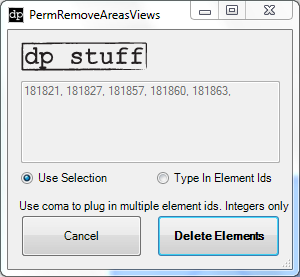
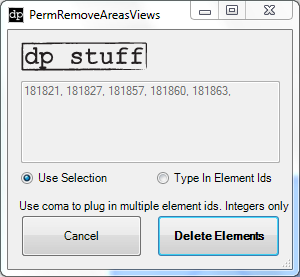
PermRemoveAreasRooms Revit API addin allows you to delete rooms or areas permanently on the fly directly from any of your Revit views without having to do it from the Revit schedule. You have two options: either pre-select the elements and run the tool to delete just the rooms/areas in your selection, or you can collect ids of rooms/areas that you want to get rid of and copy/paste them via “Type In Element Ids” method.
04-02-2013 PermRemoveAreasRooms2013 (DOWNLOAD for Revit 2013)

RemoveEmptyTags Revit Addin

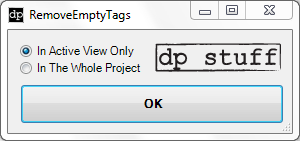
RemoveEmptyTags Revit Addin API from dp StuffJust as the name suggests this Revit addin allows you to find and remove empty tags from your Revit 2013 document. You will have two options whether you want to remove empty tags in the active view or in the whole document. You can use it in conjunction with out-of-the-box Revit Tag All tool.

via LinkedIn:
Hi Luke,
Just posted a PermRemoveAreasRooms tool on my blog as a part of my revit Utils. Little tool that I use a lot when having to delete Rooms / Areas permanently from my revit doc.
 
Also here’s another one(RemoveEmptyTags) that I posted last week:
 
Incase you find it useful please don’t hesitate to share the link with your readers.

Non-recent comment from Kyle (Autodesk staffer):
Recognizing that Worksets alone were not flexible enough to facilitate productive collaboration in many cases, we implemented Element Borrowing. This enabled the transparent borrowing of elements when a user operation required them to be editable, without the need to explicitly “check out” of the entire Workset that contained them.

So Element Borrowing is really the implementation of Worksharing in modern Revit. Worksets were never deprecated, since many existing users at the time still used them for their original purpose. Even today, we see the pre-Element Borrowing understanding of Worksets discussed and implemented in the market. Ultimately, that’s our fault for not communicating as effectively as possible with the Revit community. 

Check out the whole thread:
Some thoughts on Revit Worksets and Worksharing | LinkedIn

Some wisdoms from Paul Aubin:
BIM isn’t a particular product, but rather a description of the process and intent of the deliverables used to describe, construct, and even maintain a facility. It’s therefore possible to deliver BIM with any tool, even AutoCAD.

The hardest part of the transition from AutoCAD to Revit is not the learning of the new tools and interface, but rather the “unlearning” of AutoCAD approaches and replacing the thought process used to approach a building design project with the corresponding Revit-based workflow.

In other words (dare I say it), you need to learn What Revit Wants

Read the whole post:
How to approach migrating from AutoCAD to Revit | lynda.com | lynda.blog