
I received the following list of links and resources from a helpful Building Performance Analyst at Autodesk:
· Autodesk FormIt Product Page: 3D Conceptual Design. Any time. Anywhere.
· Building Performance Analysis Blog: Read all updates on BPA tools on this blog.
· Revit 2014 Automatic Energy Analytical model Creation and Analysis. · Autodesk Project Solon Dashboard for Revit.
Get more information about Lighting Analysis for Revit from the following places.
· Lighting Analysis for Revit Product Page
· Lighting Analysis for Revit Students Page
· USGBC Reference Page
This latest version 1.23 has the following updates and new features:
· Analysis options now include LEED v4 EQ credit 7 option 2 in the Run Analysis dialog
· New Analysis Display Styles are added for LEED v4 and other styles
· Schedules are created using field id’s instead of text to fix bugs with some foreign language installs
· Schedule names are changed to include “_” in front so they are organized better in the Project Browser
· AVF view settings (9am vs. 3pm) are preserved when clicking Generate Results
· Analysis Display Styles are preserved except if type of analysis changed, and then a corresponding analysis display style will be selected automatically
· Phase filter is set automatically for view plans (unless override flag is unset in config file)
· View templates are turned off when _Lighting views are created (unless override flag is unset in config file)
Other reference material:
· Revit BPA Help – Lighting Analysis help topic
· Blog Intro – Includes video with older but still relevant workflows.
· Video0 – First instructional video on the release 1.0
· Video1 – Hour long video including Rendering Illuminance and Lighting Analysis workflows. · Article – Revit community overview article.







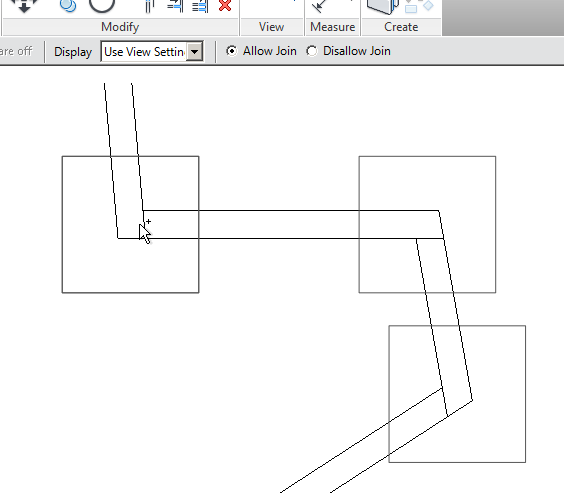
 ) is used in the drawing area to indicate a relationship with a host, such as a curtain wall panel or a beam in a beam system. The behavior of the pin has not changed (clicking it still allows you to override the properties for the element), but the subtle difference (small link in the image) adds a visual indicator that this pin is different than the standard pin that locks an element in position. The Pin/Unpin tool icons on the ribbon have not changed. See
 Readme


