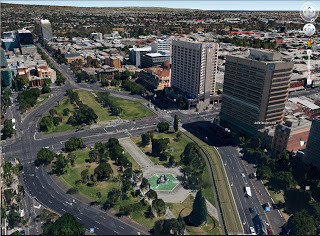
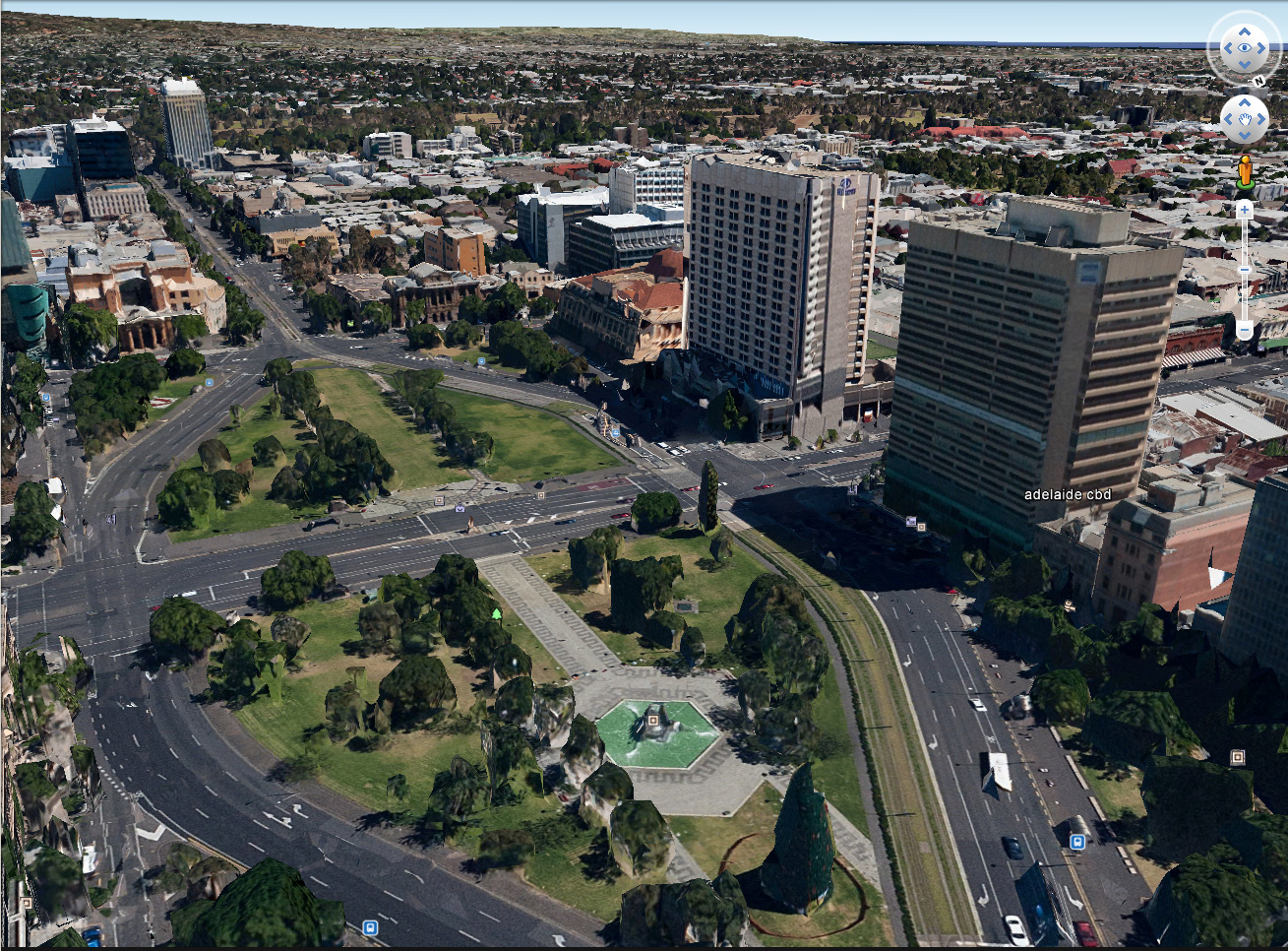
I just installed the new version of Google Earth:
Google Earth
7.1.1.1888
Build Date 7/12/2013

Playing with this and my SpacePilot Pro – what an a fun experience!!  Basically, much of the world now seems to have 3D depth – houses have height, trees protrude up from the terrain, city CBDs are highly detailed.  With the SPP, I can fly around, look in every direction.  How am I supposed to get real work done when I can play Google Earth SPP Flight Sim?

Workflow by Darren Snook:
steps are as follows

  • Place the component into the 3D model onto its host face
  • Right click the component and ‘Edit Family’. 
  • In the Family Category Parameters, uncheck the ‘Work Plane-Based’ box 
  • Reload into the project
  • Place the Legend Components into the Legend with the required extra views
  • Re-edit the family, Re-check the ‘Work Plane-Based’ box and re-load
via

Another new cloud offering from Autodesk, specifically tailored for manufacturing.  Links and details below.

Mockup 360™ has now publically launched and is available for a limited time as a Free, 90-day trial. 

To get started you can download the new client from here.

Quick Start Video
Watch this introduction to Mockup 360 that will show you how to get your data in, and start collaborating in no time.

Join the Community
Get answers and share knowledge on the Mockup 360 Community Forum.

Mockup 360 offers:

  • Open collaboration for manufacturing workflows
  • Large-scale 3D aggregation
  • Powerful clash analysis and fast setup
  • Full use of Mockup 360 for 90 days
  • No credit card required

From Zach Kron’s buildz blog:
Peter Boyer, Matt Jezyk, and I did a presentation on getting started with Dynamo, and I have posted the step by step instructional on the GitHub wiki. If you are just looking to get started, or have mastered the initial concepts, this pdf can help. Starting from the basics of how to launch and make a point, through formulas and custom nodes. 

The lessons are:
-Getting Around in Dynamo:  Installation and Interface
-Create a Point, or, “Hello World!”
-Creating and Laying Out Geometry on Lines, Grids and Lattices
-Synchronizing Family Instance Parameters
-Doing Basic Math with the Formula Node
-Attractors: creating relationships between elements
-Using Revit Geometry in Dynamo and Placing Adaptive Components
-Using Python to Build a Sine Wave in Dynamo
-Using Custom Nodes and Recursion to Create a Fibonacci Sequence

via
buildz: Learning Dynamo: Programming for Non-Programmers Workshop

At RTCNA this past week, Harry Mattison has been taking API challenges and answering them left, right and centre.  Most of us are trying to figure out What Revit Wants, while Harry seems to inherently understand What the Revit API Wants – and what it can handle.

Take this example – he was challenged to provide a method of printing Sheets from a Linked RVT in the host project.  Turns out it was easy!  Read his full post below:
Print Sheets from Host & Linked RVT files | Boost Your BIM – making Revit even better

But this wasn’t the only challenge he answered during RTCNA.  Here are a few more gems:
Live link between Parameters in Model & Detail Families
(yep, it updates itself)

“View” Field added to a Detail Item Schedule
(ability to schedule the View a particular Detail Item exists in — 2014 only)

Automatically Synchronize With Central
(let’s call this “the real Revit autosave” — 2014 only)

Nice work Harry.

Part of knowing What Revit Wants, is also knowing what it Does Not want.  Sometimes, you can push the hack (or workaround) that step or two too far… and the result is unpredictable, buggy and kinda useless.

In the past, I have used various methods to create inplace or component families that are not ‘officially’ or natively available.  In this particular instance, I used the IFC round trip method to force the creation of an Inplace family with Category set to Rooms.  I also pushed this into a Component (loadable) family.

Great!  I have Room families.  But guess what?   The result is unpredictable, buggy and kinda useless.

In fact, if you open these projects, make some Room Separation lines and then try to place a Room, I would estimate that in 95% of cases, your Revit has already crashed.  The families will not accept a tag, and they won’t schedule.  They seem to just sit there, destabilizing your Revit environment.  So why post about it?  Well, basically so that you can add this workaround to the aforementioned list of something that Revit (currently) does not want.

I have provided both 2013 and 2014 versions for your download and testing here:
RVTs that will crash Revit

Andy posted about re-creating furniture families in native Revit forms.  He also provides a download link to some of the fruits of his labour.  Read the whole post:
Shades of Grey: FURNITURE FRITZ

“You can find the downloads at the link below
Fritz Hansen Furniture Families


I don’t normally post “paid” addins, but this is an interesting little idea for an app:
Assign a HotKey to a specific component, not just a command (link)

I wonder if someone would like to make a Revit add-in that allows mapping of a multi-step command to one hotkey?  Here’s what I’m basically thinking:

  • separate hotkeys that can launch different New Family commands using the different Family Templates for each category (ie. a shortcut for New Generic Model Face Based etc)
  • ability to string multiple standard Revit keyboard shortcuts together with other keyboard methods, so that you could accomplish something like this or even this with just one keyboard shortcut